Test Footer 2

Kamis, 22 November 2012

Cara Hack Wifi Via CMD di Windows


Selamat malam kawan-kawan semua, udah lama tidak share informasi karena kemaren sedang sibbuk tidur dan saya semakin gendut aja, pada postingan kali ini saya mau share ni cara hack wifi via cmd, wah dari judulnya aja pasti bakal menarik nih pembahasan kita kali ini, sebenarnya saya sudah cukup lama mengetahui trik ini tetapi baru kepikiran untuk posting. HAHAHAHA

Cara ini saya lakukan karena saya sangat jengkel pada teman-teman saya yang sama-sama pake wifi karena sering pake netcut. Rasa jengkel saya mendorong saya untuk mencari cara lain mengerjai balik mereka, dan hasilnya sangat manteb, di pake buat streaming youtube gak pake buffering (*tergantung kualitas wifi). Oke dari pada makin penasaran mending langsung aja ke hal yang sangat di tunggu-tunggu, Check it out.

Ikuti langkah-langkah berikut tanpa kurang sedikit pun :

  • Buka RUN lalu ketikkan cmd.exe, atau bisa juga langsung ketikkan cmd.exe pada kolom search di start menu (*bagi yang menggunakan windows 7).


  • Lalu Ketikan ipconfig/all di pointer yang kedip-kedip. Perintah ini berfungsi untuk menampilkan informasi seputar koneksi dimana anda berada sekarang. 


  • Hasilnya akan  berisi segala macam informasi tentang komputer anda. Lalu cari yang namanya DNS Server kemudian lihat kode yang ada di sebelahnya, dan kode itu yang harus anda ingat, dan kalo perlu tulis dahulu di notepad. 
  • Lalu scrolling cmd.exe kalian kebagian yang paling bawah, maka kalian akan menemukan perintah seperti perintah awal untuk mengetik. Kini perintah ketikannya beda lagi. Ketikkan perintah seperti berikut ping -L 500 10.0.1.2 -t. dan kode 10.0.1.2 itu berasal dari DNS Server yang tertera di cmd saya (*DNS Server Punya saya). Ganti dengan DNS Server kalian. 
  • Tekan Enter. Maka akan tampak prosesyang berjalan terus. Biarkan proses itu berjalan terus selama kalian online menggunakan wifi dimana tempat kalian sedang nongkrong sekarang ini. Bila perlu minimize saja, asal jangan di tutup cmd.exenya.
 

Cara ini bertujuan untuk menyedot bandwitch yang sedang digunakan oleh orang lain dalam satu jaringan hotspot/wifi yang sama-sama kalian gunakan. Jika anda kurang puas dengan kecepatannya bisa anda ganti 500 menjadi 1000 atau 2000. Tetapi saya sarankan jangan berlebihan kasihan kan orang lain. dan tambahan lagi cara ini hanya berlaku di windows saja kalau linux saya belum pernah mencoba.

Oke sekianlah pembahasan kita kali ini, semoga bermanfaat yah kawan-kawan, sampai jumpa lagi di postingan berikutnya. Selamat mencoba cara curang ini. Hehehe Salam saya.


Minggu, 01 Juli 2012

cara membuat rambut harajuku visual key j-rock

tutorial visual key hair style

Jrock Asian Hair Tutorial

Kamis, 21 Juni 2012

powder-zones snowboarding anatomy


Board Anatomy
Nose - the nose is the end that usually point's downhill
Tail - the tail is the end that usually points uphill
Toe edge - the side of the board where your toes are
Heel edge - the side of the board where your heels are
binding - the thing that binds your foot to the board.
Regular vs. Goofy
Picture yourself sliding downhill sideways. Which side is facing downhill, you're right or left? Alternatively, imagine yourself sliding across the kitchen floor in your socks. Which foot is forward? If you answered left, you're "regular". If you answered right, you're "goofy". On a snowboard, your feet are not perfectly pointed straight toward the toe edge, they are slightly angled either to the left (regular) or to the right (goofy). Your "leading foot" (the foot that goes down the hill first) for a regular person, this is the left foot, for a goofy person, it's the right. The board pictured above is a regular board. On a goofy board, the nose is on the right and the tail is on the left.
Riding the Board
The first unusual factor you need to get used to thinking about is that you can face any direction while riding downhill on a snowboard. You can go down the slope backwards, that is, with your toes pointed uphill and your back in the direction in which you're traveling. You can go down the hill nose end first or tail end first. You can go downhill facing downhill, or you can do anything in between. Wicked hey?
The uphill edge
bare in mind while you are snowboarding, always put pressure on the uphill edge of the board. So, if you are going down the mountain backwards, that is, facing uphill, your pressure will be on your toes. This way of facing the mountain is called "toeside" for obvious reasons. If you are going down the mountain facing downhill, your pressure will be on your heels. This is called "heel side". DON'T put pressure on the downhill edge. It will cause you to fall over. Think about it. If you are heel side (that is, traveling downhill and facing downhill) and you dig the downhill edge (the toe edge) into the snow, what do you think will happen? The board will stop and you will keep going, causing you to tumble over your board and fall flat on your face. Similarly, if you are toeside (traveling downhill backwards) and your heel edge digs in, what is going to happen? Your board will stop and you won't, causing your backside to slam into the ground. And guess what this is known as ?????????
Balancing front-back
The balance point is the center of your weight relative to the surface of the board. Try this: at a standstill, position the board so that it is perpendicular to the slope and you are facing downhill. Now, tilt the toe edge of the board up and down using your ankles, move yourself front and back until you find the spot where you won't tip over. That's your balance point. The balance point changes with the softness of the snow because in soft snow, you'll have to tilt your board away from the incline more so than you would on hard-packed snow. Try going heel side slowly down an incline by reducing the pressure applied by your heels. <


Balancing left-right
For the most part, try to keep your weight evenly distributed between your two feet. You don't want to put more weight on the uphill foot. Why not? The surface of the board under the leading (downhill) foot is largely what steers you. Just think of a sled going down a hill. The steering is in the front; friction on the sides of these blades will make it turn. If that analogy didn't work for you, then consider this one: Ever done a pop-a-wheelie on your bike as a kid? What happens when you steer while your front wheel is in the air? It has no effect on your direction, right? No control. Same thing with a snowboard, if there is no pressure on the leading end (the downhill foot), you have no steering.
Stopping
a stop is a lot like a hockey-stop on ice skates. You bring the board perpendicular to the slope and dig the uphill edge in. If you are heel side (if you are facing downhill) you stop by digging your heels in. If you are toeside, (if you are facing uphill) you stop by digging your toes in. Slowing down is basically the same thing. It's just that when you want to stop you apply a lot of pressure fast. At the same time, you'll be balancing your weight (shifting your balance point) so you don't upset your position to the point where you tip over. Practice stopping heel side. Then practice stopping toeside.
Turning
Okay, this part is important, so pay attention. Start with your board perpendicular to (that is, horizontal across) the slope and then apply less and less pressure to the edge and see what happens. The leading foot tends to go downhill. If you stay in this position, with the lead foot downhill and the board parallel with the slope, you'll go fast. To turn, start digging the heels in. What happens? You turn heel side. If you had dug your toes in instead, you would have turned toeside. WAIT UNTIL the nose of your board is pointed directly downhill BEFORE digging in the edge. Always look in the direction where you want to go. You have a tendency to go where you are looking because your head is followed by your shoulders/upper body and then by your hips. It may help to stick your hand out in the direction you want to go. This will help get your shoulder to turn. Avoid looking at the ground right in front of you, especially when you are toeside. Instead, when you are toeside, look over your shoulder in the direction you think you want to turn. When you want to actually turn, let your shoulder follow your head. Your hips and feet will follow.

Movie Review In a Dark Place


Anna is working as an art teacher in the city, however she fails in the big city, and is given a job to teach a young girl by the name of Flora. In the movie though it appeared that Anna played the role of the nanny and the art teacher. I'm not really sure, it was too boring to figure it out fully, and too lame to want to rewind to get all of the answers.

In A Dark Place seemed like an interesting movie, solely because I based it on the DVD's box cover. It looked like a gruesome horror movie surrounding children. Usually there is nothing creepier than evil kids.

Once I popped the movie in though, In A Dark Place, just dragged on and on, and nothing made much sense.

In the beginning Anna begins to sense that their is something deeply wrong with Flora. Only I never sensed it, or were given any examples of why she was labeled a disturbed child by Anna. So the kid doesn't think finger paint is lady like. What's so wrong about that?

Shortly after establishing a relationship with Flora, Anna gets a letter from some private school that Miles (Flora's brother) is expelled from the school. When Anna goes to pick him up, she asks why he is expelled, but is not given a reason. <


As a viewer you assume the reasons will be brought out to the table later on in the movie...only...the reason is never brought out.

After the children are together, I began to wonder if Miles was the evil one, he seemed to glitch in and out of a good kid, and into an evil kid. Only you just couldn't be sure. I was left scratching my head most of the time.

By the middle of the flick, Anna then begins to have mental break downs where she thinks she is seeing ghosts of dead people who once lived in the house. Just when the movie began to get interestingly confusing, Anna goes and has a lesbian encounter with some weird broad who lives in the house. I was thrown off track. What the hell is going on?

The kids are evil? Miles is evil? The lady who sucks boobies is whack? Anna is a freak?

The movie progressed, and Anna gets more wacky, so much that you are not sure what the hell is going on. Is she the evil one?

Remote Access Software for Home and Business: The Present and The Future.


More and more employees today choose distant work without the need to leave home. According to statistical investigations, every third employee in Europe and the USA works remotely and the performance of remote workers is nearly 25% higher, than of those who have to visit the office every day.

Among remote workers there are translators, journalists, programmers and IT-specialists. The specialist can either do one part of his job in the office and another at home or work only from home if necessary.

The number of programs providing access to remote computing is rather broad today. One such system is Radmin (www.radmin.com), produced by Russian company Famatech (Moscow). Radmin has been on the market since 1999 and has a stable reputation of the fastest and the most secure tool for working and/or controlling a machine remotely. In the beginning of February, Famatech released its innovative Radmin 3.0 version, first to be compatible with Windows Vista and contains a great number of innovations including the DST(tm) video capture driver with a digital signature from Microsoft; voice and text chat; as well as being a Military-grade security system.

Radmin is widely used in organizations with high security demands, such as Banks, Insurance Companies, and Military departments because of its reliable security standards. By means of modern encryption tools and authorization algorithms, such as Diffie-Hellman, the program can prevent malicious user's attempts to hack into the computer.


Another remarkable realm of Radmin usage is the support of IT-infrastructure of various sizes. The work of an IT-specialist today means complex support of a growing number of computers. The basic task of one system administrator or IT-department is to effectively control the usage of software and hardware. Technical specialists have to solve users' problems and also teach them, how to work with programs.

IT-specialists value Radmin for its ease-of-use, high speed of work, and reliable security standards. New voice and text chat systems, implemented in Radmin 3.0 allow system administrators to answer user's questions and see the status of remote computer.

The remote control industry has great perspectives. The market of remote employees will continuously grow as more and more people prefer mobility and freedom to act. Office workers are no longer bound to their workplaces – they can effectively do their duties from home or even from another continent. The implementation of Radmin in IT-infrastructures will help to remarkably reduce costs related to Tech Support, allow the IT-specialists to quickly answer the end users question without the need to visit his/her workplace, greater capability to cover after hours support needs, in addition to the flexibility to offer remote workers a greater quality of life and time to spend with their families.

For more information about Radmin 3.0 please visit Famatech's web-site: www.famatech.com

Minggu, 17 Juni 2012

Tipping Etiquette for your Scuba Crew


Don't ask. The answer is a resounding "Yes"! You should tip. When you go on a chartered and chaperoned dive through a commercial diving shop, it is customary to tip both the Captain and the DiveMaster. Gratuities are voluntary, incumbent on your generosity. Even so, it is appropriate to offer a tip for your scuba crew.

If you are going out for one day, it is important to bring some cash on the boat for tipping. If you are diving with the same DiveMaster and Captain for an entire week, it is acceptable to offer a tip at the end of the week.

If you are arranging a variety of dives through a dive shop, you may not have the same Captain or DiveMaster on each dive, so daily tipping is a better idea unless you are certain that your crew will be consistent for the entire duration of your stay.

One perspective is to compare the roles of Captain and DiveMaster to other industries where tipping is expected. Your Captain is analogous to a taxi driver, transporting you safely to and from your scuba destination.

An acceptable tip for a taxi driver is 10% to 15% of the fare; a similar rate for the Captain is appropriate. On a single-tank dive for $65, your tip to the Captain should be between $6 and $9 USD.

Your DiveMaster should be more generously tipped with 15% - or more, if the service was exceptional. On a $65 single-tank dive, tip your DiveMaster between $8 and $12 USD.

Do not skimp your tip due to variations in the local currency. If you are traveling in an area with an embarrassingly favorable exchange rate, do not lower your tip just because the local economy is cheap. To a boat Captain in Florida, $15USD is an acceptable token of gratitude for a nice trip.

To a Captain in rural Honduras, $15USD is a generous gift. Give your generous gifts where they are most needed – to DiveMasters offering good service in economically challenged regions. Keep in mind that some crews derive much, and sometimes nearly all, of their income from gratuities. Stay cool, and keep on diving!

POWER: We want it. We have it. We DON'T use it.


If power begins in controlling something, then are we powerless prior to controlling?

Yes and no.
We have potential, which is a power in itself, but unused and undirected potential is NOTHING.

Are we powerless prior to controlling?

I would say we are not powerless, but ignorant (Which is a version of powerlessness, I guess.)

We don't know that we have power and don't know to know to test it.

The end of all powerlessness begins with awareness.

A Samurai Warrior would learn this by practicing a meditation of sitting on the top of a mountain with his arm extended and sword pointing skyward in a position ready to fall. He would meditate on that fleeting moment when a balanced piece of metal would turn into an unpredictable falling/killing weapon. His awareness was on the potential of the weapon. When he learned that then he could study the application of it's power.

What is power?
What is power like?
How great is power?
Where is power now?

To Know. To Will. To Dare. To Keep Silent.
These were the powers of the Sphinx and they remain dormant in all of us to one degree or another.

You don't know what you don't know. Thus you must seek knowledge in whatever realm you wish to control.

You must Will and Dare to use that knowledge.

To keep silent. This is where power turns to craft. It is the most subtle application of power. So subtle it may seem that things are all happening in your favor when in fact they happen by your design.


A bolder resting precariously on a cliff, a bow string pulled tight, these have a quality of potential force, What the Chinese strategist, Sun Tsu, called "shih". With just the right action and the force is unleashed.

The silent art of power and control is to see the potential force in everything and arrange it so that, if released, it works in your favor.

The keys to this power are first to know what you want far into the future and to know it in rich and glorious detail. The next step is to develop a precise and detailed plan to your goal and to meditate upon it day in and day out. By having this constantly on your mind you will function with the greatest efficiency toward your goal.

You will see the world about and know "This action will lead me to my goal. This action will lead me nowhere."

This task that is unnatural for most of us because of our natural tendency to focus on the thoughts of the present and to respond to the urgencies at hand. To master this skill we must alter our thinking and see every action that we perform as an act of manipulating "shih".

To do this is the height of Sphinx-like power and makes mere men to seem magical as if they controlled the forces of nature.

How Dangers Of Parachuting Can Be Counteracted With A Military Parachuting Manual


A military parachuting manual can be a very helpful text. Parachuting is one of the most dangerous activities available. Simple problems like having an improperly folded parachute can kill you. Moreover, not clearing the plane in an appropriate descent is very dangerous. The parachutist must also have all of the appropriate equipment in order to survive. Military parachuting manuals offer information on a number of topics. One United States Army manual contains information that not only helps the crew understand their duties both in the ground and on the air during a jump, but it also discusses key positions within a jump unit, the equipment necessary for a jump, and the jump protocol.

The Royal Air Corps military parachuting manual lays out a number of different rules for student parachutists before they are allowed to have the ability to jump. A ground crew must be able to send a message to the plane communicating wind direction and speed. They must also be allowed to abort the mission if necessary. This helps to keep the jumpers safe. Also, all jumpers have to have two reserve systems in the event of a jumping emergency. Moreover, students must jump with approved, certified coaches to keep them safe. Along with that, students will not be cleared to jump by themselves until they have undergone the necessary training and certification procedures. In order to become certified, students have to undergo a series of jumps at different heights.

The Royal Air Corps military parachuting manual also discusses the criteria for parachutist recruit selection. This helps to ensure that only the fittest candidates get the job. Military parachuting is rigorous, and the rules in the manual help decide who is best to undergo the tough tasks. Recruits spend two weeks building up endurance and stamina levels on fitness courses. They are then tested on their ability to deal with mental stress, as they will face those types of situations while parachuting. Once these tests are passed, they are allowed to begin parachute training.

There are a number of different military parachuting manuals. It is standard procedure for members of many different military forces to familiarize themselves with them, as they contain information on everything from the fitting of the parachute to water landings. A military parachute manual is a very helpful piece of literature.

A Picture Perfect Wedding


Weddings are definitely one of the happiest moments in a person's life. But, this momentous occasion does not always come as blissful as the event itself. Days and even months before the big day, couples usually cram up with the littlest details.

The process of listing down and cutting down everything into specific details-the wedding date, the venue, the reception, the caterer, the designer of the gown and suit, all the way down to the wedding coverage-are the areas where stress usually ushers in.

Due to hectic schedules, most couples usually do not pay much attention to one of the crucial things in any wedding-the wedding coverage. Despite the overwhelming tension and excitement, couples do not have to be nonchalant when choosing their wedding photographers if they want their fun times and precious memories recorded very well.

WEDDING PHOTOGRAPHY PREFERENCES

To avoid making this slight neglect that usually leads disastrous results, couples have to decide first what kind of wedding photography they would want to have.

Most wedding photographers today categorize the types of wedding photography into two: the traditional or classic style and the wedding photojournalistic style.

The most common style used by wedding photographers today, the traditional or classic wedding photography is considered as a "timeless" and the "safest" style because you normally see in countless wedding albums. Characterized by classic poses of subjects aware of the camera, this style involves so much control from the photographer because he is in-charge in arranging individual and group shots before, during, and even after the wedding.

Having excellent portraiture skills, expect the photographer to focus more on the quality of the photograph by making the subject look great from the littlest details. Expect typical wedding photos like pre-ceremony pictures, formal shots of the bride and groom posing with brides maids and ushers, cake cutting, garter and bouquet toss, and the like when you choose a classic wedding photography. This style is ideal if the couple would want to keep portraits of family members for their wedding album.


If the couple is adventurous and unconventional, then you might want to consider the wedding photojournalistic style of photography on your big day. An increasingly popular style today, wedding photojournalism offers fresh and new style of taking photos in the occasion. Characterized by candid shots of the subjects unaware of the moving camera, the photojournalism style lets the attendees act freely to capture their pure and true emotion.

Sourcing style from his experience in journalism, the "photojournalist" pays more attention to minute details and candid shots rather than arranged ones. He's more into eyeing interesting moments and capturing those in his lens to produce a narrative collection of images that tell a story.

Although some traditional poses will be present, expect photos that show actual emotions of the bride and groom and of other participants throughout the duration of the wedding when you choose the photojournalism style.

In order to avoid ruining the documentation of your wedding, here are some tips in making your wedding a picture perfect one:

1. Weddings are one of the most exciting chapters of one's life. Make sure that you choose a wedding photographer that can meet all your standards. Meet with the photographer before hand the so you could discuss the details you want.

2. Inform the important participants about the schedule of photo sessions and make sure everyone attends the rehearsal to cut down the stress.

3. Have a reception area so guests can be informed about the itinerary. This will set the occasion in order.

Why Most People Pay Double for Laser Toner Cartridges


If you own a laser printer, you already know the most expensive part of ownership is purchasing laser toner cartridges. A normal laser printer has a life expectancy of five years. However, many laser printers will last longer than five years.

Did you know that over that five-year period, most people pay seven times as much for toner cartridges as they did for their printer? If your printer lasts longer than five years, you will pay even more.

Many major printer manufacturers use a marketing model similar to TiVo and Gillette razors. The basic idea is this… they sell you the printer at or near cost. Once you've purchased their printer, you will buy their printer supplies. Hence, the huge mark up on the price of the toner cartridges. In many cases, the cost of a brand name cartridge is more than twice what it should be.

The companies then spend a lot of money trying to convince you that you must buy their toner cartridges or you can expect to have real problems. This simply isn't true.

I have exclusively used compatible toner cartridges for over fifteen years. Here's what I have learned.

At first, I was very reluctant to try a compatible toner cartridge. I really didn't understand much about them. A compatible toner cartridge is a new toner cartridge made to the specific OEM specifications of the printer manufacturer. They include the same parts and toner required for your laser printer. However, they do not have the "brand name" on the label


These compatible toner cartridges are guaranteed to be as good as your original OEM cartridge. That means you will get the same quality of print. You will get the same quantity of print.

I have saved literally thousands of dollars in cost by using compatible toner cartridges. Over the years, I only had one instance where a compatible toner cartridge did not live up to my high expectations. I called the company and they sent me a new compatible toner cartridge the very next day… no questions, no hassle. Besides this one instance, I have always had outstanding print quality. I've never been shorted on the number of pages I've printed.

When you deal with a reputable online company, you save three ways. First, they stand behind their toner cartridges one hundred percent. How many companies have you dealt with that sent you a new replacement product the next day without a major hassle?

Second, these online toner companies do not have the cost of maintaining a storefront. They can pass the savings in overhead along to you.

Third, they are not trying to make up for minimal profit from the sale of a laser printer. If the major manufacturers made a reasonable profit on their printer sale, there would be no need for such a high mark up on their toner cartridges.

So, if you need a new laser toner cartridge and want to cut way back on your printer budget, try a compatible toner cartridge today.

Selasa, 12 Juni 2012

Brainwave, Manipulasi Otak Bawah Sadar

Ternyata dunia teknologi memang tidak pernah berhenti berkembang. Semakin hari sesuatu yang mustahil menjadi kenyataan. Dengan teknologi Brainwave ini kita dapat memanipulasi mainset otak kita sesuai dengan apa yang kita inginkan. Apakah Brainwave itu? bagaimana cara kerjanya? apakah ada efek sampingnya? apa sudah ada yang berhasil? dan berbagai pertanyaan lainnya dibahas secara lengkap. Penasaran?? silahkan dibaca...


Teknologi, adalah suatu bidang yang sepertinya "tidak akan pernah berhenti berkembang". Bagaimana tidak, dulu pada abad pertengahan (middle age) kala itu komunikasi masih sangat sederhana, tidak ada yang menduga kalau 20-30 tahun kedepan (sekarang) kita dapat berkomunikasi melalui internet. Dulu gambar/foto/film masih hitam putih dan tanpa suara, siapa sangka sekarang sudah tercipta foto puluhan Megapixel dan film juga sudah tercipta yang 3D, bahkan 4D.

Perkembangan teknologi yang sangat pesat ini juga mempengaruhi bidang musik. Beberapa tahun belakangan ini terciptalah sebuah teknologi unik yang disebut dengan Brainwave.

Beberapa waktu yang lalu saya membaca salah satu thread di kaskus mengenai brainwave. Karena penasaran dan tertarik sama brainwave, makanya saya mencoba untuk membahas tentang hal ini.

BRAINWAVE

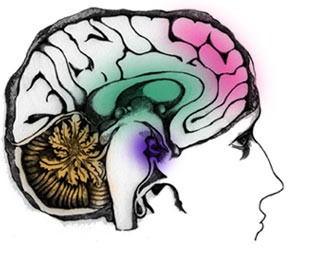
Brainwave, berasal dari bahasa Inggris yang berarti "gelombang otak". Yang dimaksud gelombang otak disini adalah gelombang dengan perhitungan frekuensi dan perpaduan tertentu yang dapat mengubah struktur dan mainset dari otak kita (tepatnya otak bawah sadar).

Menurut abang wikkipedia,

"Brainwave entertainment atau "sinkronisasi gelombang otak", adalah suatu praktek yang bertujuan untuk menyebabkan gelombang frekuensi jatuh ke langkah dengan stimulus periodik yang memiliki frekuensi yang sesuai untuk otak yang dimaksudkan secara sengaja (misalnya, untuk mendorong tidur, meningkatkan IQ, meningkatkan pertumbuhan badan, dll), Biasanya dilakukan dengan mendengarkan Binnaural beats (irama didalam brainwave) tertentu sesuai dengan mainset yang kita inginkan."

Secara singkat Brainwave adalah musik yang jika kita dengar secara berkala/terus-menerus akan berdampak dikehidupan nyata kita. Contoh, Jika kita ingin jadi tinggi/pintar, maka cukup dengan mendengarkan Brainwave yang rutin, dijamin kita akan menjadi tinggi/pintar.

Aneh? memang.. Yang lebih aneh lagi Brainwave dapat digunakan untuk berbagai macam tujuan, seperti menarik lawan jenis (cari pacar ^^), menambah kepercayaan diri, menyembuhkan penyakit (insomnia, asma, dll), menambah rejeki (*yang ini saya kurang percaya karena setiap rejeki ada ditangan Tuhan), menambah IQ, dll.

Semua hanya cukup dengan mendengarkan Brainwave secara rutin sesuai dengan tujuannya niscaya cepat atau lambat akan berpengaruh pada kehidupan nyata kita.

Percaya atau tidak, sebaiknya kita menyimpulkannya setelah menyimak penjelasan ilmiahnya terlebih dahulu.

SCIENTIFIC EXPLANATION

Secara ilmiah tubuh kita terdiri dari berbagai sistem yang menakjubkan seperti sistem pencernaan, pernafasan, pengeluaran, dll. Didalam sistem2 tersebut terdapat penggerak/pengendalinya, yaitu Otak. Otak kita berfungsi sebagai pusat pengendali semua kegiatan yang kita lakukan setiap hari, baik itu secara sadar maupun tidak sadar. Semua tindakan yang kita lakukan berawal dari otak, semua perasaan yang kita rasakan berasal dari otak, semua aksi dari reaksi yang kita terima berasal dari otak.

Untuk memudahkan tugas otak yang begitu banyak dan berpengaruh didalam kehidupan kita sehari-hari, maka otak dibagi 2 sesuai fungsinya, yaitu otak kiri dan otak kanan. Otak kiri mempunyai sifat bekerja secara logika (ilmiah), sehingga kemampuan mengingatnya short-term. Sedangkan otak kanan mempunyai sifat bekerja secara perasaan (mental) dan mempunyai kemampuan mengingat long-term.

Untuk dapat mengendalikan tubuh otak membutuhkan suatu alat yang disebut Hormon. Hormon yang diproduksi oleh otak kanan berbeda dengan hormon yang diproduksi oleh otak kiri.

Ribuan hormon terkandung didalam tubuh kita dengan fungsinya masing2, contoh ketika kita marah/tegang/deg-degan tubuh kita menghasilkan hormon adrenalin dengan jumlah yang banyak. Contoh lainnya adalah hormon Prolactin yang lebih banyak dihasilkan oleh wanita sehingga menyebabkan wanita lebih sensitif dan mudah tersentuh dan menangis dibandingkan dengan para pria.

Nah, produksi hormon2 inilah yang dikendalikan ketika kita mendengarkan Brainwave. Semakin banyak hormon tertentu diproduksi, maka sifat/pengaruh tertentu akan ditimbulkan oleh tubuh kita.

Bagaimana cara mengendalikannya??

Hormon tertentu dapat diproduksi atas rangsangan tertentu. Rangsangan tertentu diterima dari luar, dikirim oleh tubuh menuju otak, kemudian otak sebagai pengendali utama akan menentukan hormon mana yang harus diproduksi dan berapa banyak jumlahnya diproduksi.

Proses ini terjadi sepanjang hidup kita, setiap kita melakukan sesuatu pasti telah melewati proses tersebut. Ketika kita menangis, tertawa, marah, jatuh cinta, deg-degan, takut, gugup, kesakitan, sedih, rasa sayang, dll. Semua indera ditubuh kita juga bekerja sesuai dengan proses diatas, yaitu Rangsangan ----> Otak ----> Tindakan (reaksi)


Berdasarkan sistem kerja itulah Brainwave digunakan. Brainwave berfungsi mengubah/mengendalikan otak secara perlahan, hanya saja yang dikendalikan Brainwave disini adalah otak bawah sadar, bukan otak sadar. Mengapa???

Tahukah anda bahwa otak sadar bekerja hanya 20% dari kehidupan kita, sedangkan sisanya sebesar 80% merupakan hasil dari kinerja otak bawah sadar (Albert Einstein).

Ternyata otak sadar yang sejauh kita ketahui mengatur semua sistem didalam tubuh hanya berpengaruh sebanyak 20% didalam kehidupan kita. Otak bawah sadar lebih mengambil andil dari semua tindakan, keputusan, mental, kelakuan, dll dari kehidupan kita sehari-hari.

Hal ini pula yang digunakan oleh ilmu hipnotis untuk menghipnotis objeknya (ternyata hipnotis adalah hal yang sangat ilmiah dan rasional, sama sekali tidak berbau mistik). Para ahli hipnotis dengan keterampilannya dapat memasuki alam bawah sadar objeknya dan memanipulasinya dengan memberikan semacam sugesti kedalam pikiran si objeknya, sehingga setelah si objek sadar dari hipnotis, secara tidak sadar dia akan bertindak sesuai dengan sugesti yang telah ditanamkan ke pikiran bawah sadarnya.


Contoh: ketika dihipnotis si objek diberi sugesti agar dia berjoged setelah mendengar suara tertentu, maka begitu tersadar dari hipnotis ketika dia mendengar suara tertentu tersebut secara tidak sadar dia akan berjoged dengan sendirinya. Itu dapat terjadi karena si objek dikendalikan oleh pikiran bawah sadarnya.


**nb: teknik manipulasi pikiran bawah sadar ini susah untuk dirubah/dihilangkan, kalaupun bisa membutuhkan waktu dan proses yang lama. Trauma terhadap sesuatu adalah contoh bentuk kendali pikiran bawah sadar.


Nah, Brainwave adalah alat untuk menanamkan sugesti secara perlahan-lahan kedalam pikiran bawah sadar manusia dengan menggunakan frekuensi tertentu dan perpaduan binnaural beats tertentu. contoh: dengan menggunakan brainwave attract love (tau dari kaskus) otak akan lebih banyak menciptakan hormon yang disebut pheromones.

Penjelasan dari kaskus:

Hormon pheromones yang dikeluarkan diproduksi tubuh ini akan di respon oleh organ tubuh wanita melalui alat deteksi yang disebut Vomeronasal Organ atau biasa disebut VNO. VNO ini terdapat di dalam lubang bagian dalam hidung.

Ketika VNO menerima sinyal zat pheromone maka secara alami organ tersebut akan mengirimkannya langsung ke otak melalui sistem syaraf yang akan segera meresponnya dengan berbagai macam tanda psikologis misalnya denyut jantung yang bertambah, keringat atau hasrat seksual yang meningkat.

oleh karena itu jika mendengarkan brainwave ini secara rutin, maka produksi hormon pheromones akan meningkat dan ketertarikan lawan jenis terhadap kita juga akan meningkat.


pertamanya saya tidak percaya, namun setelah nanya2 sama mbah google, ternyata penjelasan diatas memang benar. Jadi kesimpulannya "Brainwave mengubah otak bawah sadar untuk memproduksi hormon tertentu". Dan ternyata banyak fungsi2 positif yang bisa dikembangkan dari Brainwave, seperti memancing hormon pertumbuhan, menambah daya tangkap (kepintaran), meningkatkan hormon penyembuh (imune tubuh), dll.

EFEK SAMPING

Apakah ada efek samping dari menggunakan Brainwave??

Menurut saya, karena Brainwave bermain2 dengan gelombang dan otak, maka pastinya ada efek sampingnya. Otak yang tidak terbiasa akan menolak dalam bentuk seperti pusing, mual, dll. Oleh karena itu makanya saya tidak menganjurkan anda untuk menggunakan Brainwave. Artikel ini saya tulis hanya untuk sekedar menambah wawasan kita saja.

Tapi ilmu dari Brainwave ini sudah digunakan oleh beberapa proses Hypnotheraphy. Memang pada dasarnya tujuan Hypnotheraphy dengan Brainwave adalah sama, yaitu mengubah pikiran bawah sadar untuk tujuan tertentu, hanya saja metodenya sedikit berbeda.

Lagipula kalau Hypnotheraphy sudah teruji berhasil dan sudah dipatenkan oleh dunia sebagai salah satu metode yang aman. Sedangkan Brainwave saya kurang tahu.

PENUTUP

Teknologi memang tidak pernah berhenti, dan Brainwave adalah salah satu buah dari hal tersebut. Brainwave berfungsi untuk mengendalikan otak secara tidak sadar melalui alunan musik yang indah. Namun karena metode ini belum terlalu berkembang maka belum banyak orang yang mengetahuinya. Karena menggunakan gelombang untuk memanipulasi otak, maka brainwave dapat menimbulkan efek samping.

Namun dari itu semua, satu hal yang bisa saya dapatkan adalah "ternyata kita bisa mengubah pikiran bawah sadar kita untuk tujuan dan maksud tertentu secara sengaja". Dengan kata lain jika kita ingin pintar/tinggi/menarik, maka kita dapat mengubah pikiran bawah sadar untuk menjadi pintar/tinggi/menarik melalui berbagai metode seperti Hipnotis, Hypnotheraphy, Brainwave, dll.


sumber: http://rensenpelawi.blogspot.com

NARKOBA DIGITAL (i-doser)

NARKOBA DIGITAL ???

Pasti kamu heran kan apa maksud postingan saya kali ini ? :D
Yap ini beneran Narkoba versi Digital ! hmm saya ambil penjelasannya langsung dari web-nya aja yah biar gampang ;)
Kamu sudah tau aplikasi  mengenai gelombang otak yang bisa mempengaruhi mood? Wah perlu di ketahui, sekarang udah ada aplikasi dalam bentuk suara yang bisa mempengaruhi kinerja otak kita, namanya i-Doser (Brain wave software)
secara terperinci sih, gini penjelasan dari web :
“i-Doser Laboratorium adalah suatu aplikasi simulasi Brainwave (Gelombang Otak) yang dapat mempengaruhi suasana hati sesuai dengan doses (dosis file dengan ext .drg yang akan dijalan aplikasi i-Doser). Untuk menghasilakan efek yang sempurna penggunaan i-Doser haruslah menggunakan headphone streo. Idoser sangat populer dalam memberikan efek terhadap otak kita sehingga dapat mempengaruhi suasana hati, seperti mendapatkan kebahagian, efek penggunaan narkoba (aman tanpa zat kimia, karena kita hanya mendengarkan sound gelombang otak yang telah dirancang, Seru baget…) bahkan sampai efek orgasme, wui… saya sudah mencobanya.. bahkan sampai halusinasi (sepunuhnya kita dapat mengontrol diri)”
secara gamblangnya :
i-doser itu alat yang di buat dalam bentuk suara, suara yang di hasilkan kaya suara radio rusak sih.. hehehe :) tapi kalau menurut petunjuk penggunaan, kalo fokus, relax, dan serius dengernya bisa kerasa sensasinya. Namun menurut saya, pengeruh ini kaya hipnotis loh, karena hipnotis itu juga dari kata kata orang yang menghipnotis kita, sehingga ada sugesti yang tercipta di pikiran.
I-doser ini terdiri dari beberapa program, yakni :
Cocaine/Kokain
Ecstasy/Inex
Heroin/Putau/Etep
Marijuana/Ganja LSD
Crystal Meth/Sabu-sabu
Dumerol
Morphine/Morfin
Nicotine/Rokok
Opium
Peyote
Viagra
Herbal Beauty – “Built for Lightning Reaction”
Hex-2-C for Improve, increase, stimulate reaction and drive your focus to its peak.
Buat langsing juga bisa, dsb

namun, Ada 4 jenis pengguna I-doser, :
1. Kebal sama sekali ( tidak merasakan efek apapun )
2. Kebal separuh ( merasakan tapi tidak maksimal, paling 50-60% )
3. Tidak kebal ( merasakan sekali efeknya )
4. Super sensitif ( mengalami efek-efek samping yang tidak sesuai dengan dosis )
Kalau kamu gagal merasakannya, berarti kamu masuk dalam kategori pertama atau kedua.

Tips Penggunaan I-Doser Yang Benar
Metode dibawah ini adalah agar dose yang didengarkan memberikan efek yang maksimal (sesuai dengan efek dose yang didengarkan)Peralatan yang diperlukan:
* Program I-Doser dan 1 Dose (File I-Doser misalnya orgasm)
* Headphone Stereo (Jangan menggunakan speakers)
* Tempat tidur dan bantal yang Nyaman atau kursi Santai.Hal Yang harus dilakukan:* Tutup Mata (Harus, agar efek yang dirasakan lebih kuat)
* Buat diri kamu merasa Nyaman dan Santai8 Langkah yang harus dilakukan agar efek yang dirasakan lebih kuat.
1. Jauhkan semua gangguan
Pastikan kamu tidak akan terganggu pada saat mendengarkan keseluruhan dose karena hal ini akan merusak efek dari dose yang kamu dengarkan. Tutup semua program yang sedang dijalankan di komputer karena hal ini akan menimbulkan bunyi noise yang mungkin dapat menggagu kamu. Kamu harus bisa memastikan ini. 2. Laksanakan dulu apa yang harus dilakukan.
Yakinkan semua keperluan kamu harus dilakukan terlebih dahulu, misalnya, kamu lapar maka kamu harus makan dulu, atau ada pekerjaan-pekerjaan lain yang harus diselesaikan maka selesaikanlah, sehingga hal ini nantinya tidak akan menggaggu kamu pada saat mendengarkan dose karena kamu akan memusatkan perhatian hanya pada dose yang sedang kamu dengarkan.
3. Dengarkan Dose pada malam hari atau dalam gelap
Anda ingin efek dose 100% bekerja untuk kamu? Dengarkan dose pada malam hari atau dalam gelap. Matikan semua lampu, TV atau apapun yang menghasilkan cahaya atau suara-suara yang mengganggu.
4. Tutup Mata
Dengan menutup mata pada saat mendengarkan Dose maka akan menguatkan efek Dose tersebut.
5. Relax
Relax adalah salah satu terpenting yang harus kamu lakukan, karena pada saat relax akan memberikan efek yang kuat pada Dose yang sedang didengar.
6. Fokus
Fokus adalah bagian terpenting untuk memberikan efek yang maksimal. Bersihkan pikiran kamu dan hanya fokus pada beat sound yang sedang kamu dengarkan.
7. Tenang.
Hilangkan kegelisaan pada saat mendengarkan dose. Santai.
8. Dengarkan Keseluruhan Dose
Jangan Menghentikan Dose Dipertengahan!. Dengarkan sampai Dose selesai diputar.
Gimana guys, tertarik buat nyobain Narkoba Digital ini ?! Saya sendiri sih baru nyobain dose yang SLEEPING ANGEL dan alhasil saya bisa tidur amat sangat nyenyak :)
Tapi saya ga menyarankan kamu buat nyoba loh, apapun resikonya nanti harap ditanggung sendiri aja :P
Nah kalo ada pertanyaan semacam ini :
“Narkoba ?! Berarti haram dong ??”
Hmm kalo itu saya ga bisa jawab guys, lebih baik kalian tanyain langsung aja ke MUI :P
Kalau kamu minat, ayo silahkan tinggal disedot aja  di link ini :

Senin, 11 Juni 2012

How to tease Emo hair for Guy

Cara Memotong Rambut Emo Style

Cara Melakukan Lucid Dream

Pernahkah anda mengalami saat di mana mimpi anda terasa begitu nyata? Jika jawabannya "ya", berarti anda sudah pernah mengalami apa yang disebut dengan "Lucid Dream".

"Lucid Dream" bisa diartikan sebagai sebuah pengalaman di alam mimpi, di mana kita bisa mengontrol mimpi kita, merasakan hal-hal di dalamnya, dan yang terpenting adalah tetap tersadar selama bermimpi. Lucid dream terbagi dua, yaitu Lucid Dream yang dialami secara tidak sengaja, dan Lucid Dream yang diatur dengan sengaja supaya kita bisa mengalaminya.  Boleh dibilang, Lucid Dream setingkat lebih mudah dibandingkan Astral Projection (bisa dibaca di artikel berikut : http://suozi31.blogspot.com/2012/02/cara-belajar-melakukan-astral.html) dan bisa digunakan sebagai "permulaan" untuk melakukan Astral Projection.


Bagaimana cara mendapatkan Lucid Dream?

Untuk teknik-teknik memperoleh Lucid Dream, anda bisa membaca panduan lengkapnya di artikel berikut :

Lebih Jauh Seputar Lucid Dream
Berisi seputar tips, trik, dan metode untuk mengalami Lucid Dream, plus beberapa file, software, dan musik yang bisa didengarkan untuk mempermudah proses Lucid Dream. Artikel ini wajib dibaca bila anda ingin mengalami Lucid Dream dan mengontrolnya dengan sempurna. Baca artikelnya di alamat berikut : http://www.squidoo.com/cara-lucid-dream


Apa perbedaan antara Lucid Dream dan mimpi biasa?
Yang membedakan intinya adalah satu kata :  Kesadaran.  Dalam Lucid Dream, kita benar-benar mengalami segala sesuatu di dalam mimpi secara sadar, sedangkan di dalam mimpi biasa, kita seolah-olah hanya menyaksikan atau menonton hal-hal di dalamnya. Setelah terbangun, kita bisa mengingat dengan sangat jelas hal-hal di dalam Lucid Dream, sementara jika kita bermimpi biasa, akan ada hal-hal yang hilang dalam ingatan kita.

Apa manfaat Lucid Dream?
Tentu saja, tujuan utama merasakan Lucid Dream adalah untuk menikmati kehidupan di dunia mimpi, di mana kita bisa mendapatkan berbagai pengalaman yang sangat menyenangkan.  Tujuan lain adalah untuk memenuhi keinginan yang tidak bisa tercapai di dunia nyata.  Karena dalam lucid dream kita bisa mengontrol segala sesuatu di dalamnya, maka untuk mengatur berbagai hal yang ingin kita capai akan menjadi hal yang sederhana.  Manfaat lain dari Lucid Dream adalah untuk meningkatkan kemampuan dalam memecahkan masalah, mengatasi fobia dan trauma, meningkatkan kreativitas, dan menambah rasa percaya diri.

Apa saja yang bisa kita lakukan dalam kondisi Lucid Dream?
Sangat banyak dan bervariasi.  Kita bisa mencoba apapun dan menjadi apapun di alam mimpi.  Pengalaman paling umum adalah merasakan terbang dari satu tempat ke tempat lainnya.  Ada pula penjelajahan ke dimensi lain, interaksi dengan orang-orang yang ada di alam bawah sadar anda (subconscious) dan lain-lain.  Perlu diingat, indra penglihatan, pendengaran, peraba, perasa, dan penciuman anda tetap aktif dalam lucid dream. Anda bahkan bisa mengalami berbagai emosi seperti rasa senang,sedih, terharu, bahagia, dan lain-lain.  Ada 3 kategori Lucid Dreamer, dan berikut adalah hal-hal yang bisa dialami :

A.  Tingkat Pemula
Berjalan menembus tembok, menggambar di langit, terbang di angkasa, menjelajah dunia mimpi.

B.  Tingkat Menengah
Makan, berkencan atau bertemu tokoh-tokoh yang selama ini hanya ada dalam imajinasi anda seperti artis, olahragawan, politikus, pahlawan, tokoh kartun, dan lain-lain.

C.  Tingkat Ahli
Berhubungan seksual, merasakan kehidupan setelah mati, mendapatkan inspirasi untuk diterapkan ke dunia nyata (contoh :  ide untuk menulis buku, membuat film, dan sebagainya)


Adakah dampak negatif Lucid Dream?
Selama tidak dilakukan secara berlebihan, tidak ada dampak fisik negatif dari Lucid Dream.  Beberapa kasus stres mungkin muncul jika Lucid Dream anda bersifat mengerikan atau menakutkan.  Dalam kasus lucid dream yang akut, beberapa orang mungkin kehilangan motivasi di dunia nyata karena mereka merasa bisa mendapatkan apapun di dunia mimpi.  Satu hal yang anda harus ingat, segala hal dalam Lucid Dream hanyalah mimpi, tidak ada yang berupa kenyataan.

Tahapan dan Langkah-Langkah Lucid Dream<br />
1.  Tidur dalam kondisi serileks mungkin, dengan pakaian longgar dan santai.

2.  Kontrol pernafasan dan konsentrasi.  Cobalah untuk memperlambat pernafasan, namun tetap berkonsentrasi ke organ-organ tubuh anda, mulai dari ujung rambut hingga ujung kaki.  Cara ini pernah dibahas dalam blog Wikumagic, di artikel tentang Astral Projection.

3.  Jaga pikiran tetap sadar, namun santai.  Jika anda berusaha tersadar namun tidak santai, anda tidak akan bisa tertidur.  Berusahalah untuk melakukan hal-hal yang bisa membuat anda tetap sadar dalam kondisi rileks, seperti menghitung domba atau membayangkan diri anda naik turun tangga.

4.  Sleep Paralysis.  Kondisi ini adalah tahapan utama ke arah Lucid Dream.  Ini adalah tahap di mana sering disebut sebagai "tindihan".  Anda mungkin akan merasa ditindih oleh sesuatu yang sangat berat, susah bernafas, tubuh serasa berputar dan terlempar.  Ingat, jangan terbangun saat mencapai tahap ini.  Jika anda bangun karena merasa ketakutan, Lucid Dream anda akan gagal.

5.  Black Out.  Periode transisi di mana anda merasa memasuki ruang hitam kelam.  Akan berlangsung selama beberapa saat, dan sekali lagi jangan sampai terbangun.

Nah, setelah melewati tahapan ini, anda akan mulai merasakan suatu sensasi, entah berupa penglihatan atau suara, yang intinya berarti anda telah memasuki dunia mimpi dan siap untuk menjelajahinya.  Ingat, jangan mengeluarkan emosi terlalu ekstrim, seperti terlalu bahagia, terlalu marah, atau terlalu takut, karena hal-hal tersebut bisa membuyarkan Lucid Dream.  Intinya hanya satu, tetap konsentrasi.


Cara Mendapatkan Lucid Dream
Jadi, bagaimana anda bisa mengalami Lucid Dream?
Intinya adalah dua hal :  Mengetahui dan menyadari bahwa anda sedang di dunia mimpi dan terus menerus mengecek kesadaran anda.

Metode ini bisa dicapai dengan langkah-langkah berikut (penjelasan lebih detail ada di link berikut :  http://www.squidoo.com/cara-lucid-dream)

1.  Cek realitas dan kesadaran anda; Kenali tanda-tanda mimpi
Cobalah untuk membiasakan diri mengecek realita dan kesadaran anda, bahkan ketika anda tidak sedang bermimpi.  Tanyakan ke diri anda sendiri :  Apakah saya bermimpi?  Contohnya adalah memastikan jarum jam tetap berjalan, atau mengecek gaya gravitasi.  Jika anda melakukan hal tersebut di dalam mimpi, akan terjadi suatu keanehan (misal, di dunia mimpi jarum jam tidak berjalan, ada kemungkinan benda-benda terbang melawan gravitasi).  Nah, jika keaneahan tersebut terjadi dan anda menyadarinya, selamat...anda telah mengalami Lucid Dream dan bisa mulai menjelajah mimpi.

2.  Ingatlah mimpi anda
Cobalah untuk mengingat setiap mimpi anda, dan catat mimpi-mimpi anda dalam buku catatan setelah anda mengalaminya.  Teknik ini disebut dengan pembuatan jurnal mimpi.


3.  Berusaha bangun di tengah tidur anda
Waktu terbaik adalah menjelang pagi, di mana anda masih memiliki cukup waktu untuk melanjutkan tidur anda.  Setelah terbangun, minum banyak air putih, berusahalah mengingat mimpi anda sebelumnya, dan lanjutkan tidur.

4.  Visualisasi dan Sugesti
Sebelum tidur, bayangkan berbagai hal-hal fantastis seperti terbang di angkasa, melukis di atas awan, atau hal-hal lainnya.  Lalu katakan pada diri anda sendiri berulang-ulang "Saya akan mengalami Lucid Dream dan mencatatnya dalam jurnal mimpi.

5.  Dengarkan gelombang musik untuk mempermudah proses Lucid Dream
File audio untuk lucid dream bisa didapatkan dari artikel berikut("Lebih Jauh Seputar Lucid Dream")

6.  Sabar dan terus berlatih
Lucid dream adalah sesuatu yang harus terus menerus dilatih, dan mungkin tidak bisa langsung berhasil dalam satu kali percobaan.  Jika gagal, cobalah untuk mereview lagi metode yang anda lakukan, dan jangan putus asa.  Terus berlatih, dan berlatih.  Cek artikel ini http://www.squidoo.com/cara-lucid-dream untuk mengetahui metode latihan Lucid Dream yang tepat.


Satu hal lagi yang perlu diingat, ada batasan-batasan dalam Lucid Dream.  Anda mungkin bisa mengontrol mimpi, namun tidak 100% karena bagaimanapun, mimpi adalah sebuah dimensi lain dari kehidupan anda.

Akhir kata, jangan takut untuk bermimpi, dan bermimpilah untuk membawa perubahan positif di kehidupan nyata anda.

Artikel ini ditulis oleh Wiku Pulangasih the Online Magician dari berbagai sumber, terutama forum Kaskus.
Hyderabad, 26 Januari 2011

Free iPod Downloads - Entertainment In Your Palms

I don't like free music because my pockets are filled with wrappers, receipts and lint, although admittedly, seeing as how I know no other existence, its difficult to really be sure about that. No, the reason I like free music is because I am inherently a fan of purity and origin and intention. I understand the realistic makeup of the world we live within and that everyone needs to pay their electric bill; and that's why I'm not here to criticize revenue-garnering music (although I think that everything has reasonable limits). But, I would like to strongly emphasize my love and appreciation for free music. It seems to me that the word "free" is a double-entendre. And surprisingly enough, helping further this free spread of artistic expression is none other than the ipod. I make the preceeding sentence appear in a sense of surprise because the music industry along with Apple have been quite concerned with the future of recorded music, due to free downloading, but that's just one side of ipod's story. The nature of apple computers, conducive to artistic creation, has allowed all sorts of amalgams of new and old technology come together in new forms of music; and the ipod is helping to spread the works to anyone who would like to listen. Several artists have begun to experiment with the new capabilities using their Macs, instruments and ipods. To a good deal of them, it's about the music, and they have thusly put their music online as free ipod downloads. These are completely legal, as they have not only the consent, but also the encouragement of the creators. This is a side of free downloading that should be giving all persons involved with music something to smile about. To music aficionados, its really the way that things are supposed to be, for the musicians it gives them a forum from which to extend their craft and for the executives, it can mean that people are getting excited about music again. Who would have thought that the esoteric nature of my passion for free music would be represented and carried by something like free downloading on your ipod (a previously dirty secret that had all sorts of difficult paradoxes). No matter, I just want to let the music ring.

Under Armour vs. Military Thermals: Choosing the Best Ski Gear

I moved to Colorado a little over five years ago. Although I was just a skier at the time, it was my goal to become a snowboarder. Months before the season started, I spent hundreds of dollars on all the gear I would need: Board, bindings, boots, jacket, pants, and a couple layers of fleece sweatshirts to keep me warm on those cold blizzard days. After all these expenses, I found myself short on money and decided to buy a cheap pair of thermal underwear from a local Wal-Mart. In mid-December of that year, the mountains received quite a dumping of new snow, and my friends and I decided to make the trip to Vail to enjoy the fresh powder. While carving down one of the resort's legendary bowls, I accidentally caught an edge and ended up sliding face first down the steep incline. By the time I managed to stop myself, a good couple feet of snow had jam-packed my jacket and pants. I was soaked to the bone, freezing cold, and standing in an almost full whiteout blizzard. When I finally reached the lodge, my Wal-Mart thermal underwear was soaked beyond repair, and I had managed to catch quite the nasty cold. Needless to say, I traded the snowboard for a warm bed and a couple gallons of Ny-Quil for the remainder of the weekend. The following season, I decided that it was time to invest in some quality thermal underwear. Something warm. Something waterproof. At my local sporting goods store, a young salesman recommended the store's featured product, Under Armour cold gear. I must admit I was a little skeptical at first. I was under the impression that Under Armour was created to keep you dry, not necessarily to keep you warm. However, the young man swore by the new cold gear, and claimed that it was the driest and warmest cold weather protection on the market today. Taking his advice, I purchased a crewneck, pants, socks and an outdoor hood. Although the gear came to over $200, I felt it was worth it to keep my body warm and dry during the next ski season. The first couple weeks of the season were great! The cold weather gear kept me warm and dry in the mountains, and seemed to be serving its purpose perfectly. Then right around the end of December, we made the trip to Vail. Once I reached about 12,000 feet, I could no longer feel any of my appendages due to the bitter cold. The remainder of the season was miserable. The weather got colder and colder, and my new Under Armour cold gear, although doing a great job to keep me dry, was no match for the cold mountain winds. For the rest of the season, I was forced to wear my old Wal-Mart thermals on top of the Under Armour to keep warm. Once again, my thermal underwear had failed me. This year, I was determined to solve my problem and enjoy what was predicted to be the coldest and snowiest season yet. After running some Internet searches, I found a product known as military thermal polypropylene underwear. Apparently, the military uses unique cold weather technology to develop a special kind of clothing, known as polypropylene, to keep their troops dry and warm in combat situations. According to my research, polypropylene thermal underwear was only recently approved for use outside the military, so I decided to see what the stuff was all about. Again, I purchased a polypropylene crewneck, pants, socks and neck warmer. To my astonishment, my total price was under $70, less than one third what I had paid for my Under Armour cold gear. At this price, I honestly didn't expect it to work very well, but decided to give it a try anyway. Over Christmas weekend, my friends and I once again decided to make the trip to Vail to enjoy some of the best snow Colorado has received in years. Again, we dropped back into their legendary back bowls, and again I took a nosedive right down the steep incline. Once again jam-packed with snow, I sadly stood up, waiting for the cold wetness to sink into my skin. I waited. And waited. All day long, I took falls in pile after pile of fluffy powder. And all day long I remained dry and warm. I was utterly amazed! Not only had a spent a fraction of what I had on Under Armour cold gear, but I also remained warm and dry for the entire snowy weekend. My search for the perfect thermal underwear was over. So next time someone asks you what type of gear they need to stay warm in the cold, windy Rocky Mountains, tell them to check out military issued polypropylene thermal underwear. I guarantee it will be the last pair of thermals you ever buy!

Gilmore Girls (DVD) Review

Nominated for 1 Emmy and 1 Golden Globe in its first five seasons, Gilmore Girls has experienced much greater success among TV viewers than among industry critics. In fact, the show is the first script supported by the Family Friendly Forum's script development fund to go on and become a regular television series. Part of an initiative between The WB Network - maker of such hits as Dawson's Creek (1998), Felicity (1998), Angel (1999), and Smallville (2001) - and fellow industry executives, this push for more family-oriented programming resulted in a series showcasing a unique mother-daughter bond and the various people they encounter on their life voyage of discovery. Set in the fictional town of Stars Hollow, Connecticut, Gilmore Girls utilizes many of the same sets as the hit series The Dukes Of Hazzard (1979) - another successful Warner Brothers production from years past… Gilmore Girls is set in a small idyllic community in Connecticut filled with a wide range of diverse characters and eccentric personalities. Against this backdrop, Lorelai Gilmore (Lauren Graham) attempts to raise her daughter and best friend, Rory Gilmore (Alexis Bledel), to carve out a better life for herself. Having made a number of youthful mistakes, Lorelai made the decision to raise her daughter by herself at a young age (the same age as Rory when the series begins), and she's bound and determined to make sure that Rory makes better decisions for herself. As Rory prepares to go off to college, she displays many of the same likes and dislikes as her mother - especially when it comes to the opposite sex, and that's what worries Lorelai the most… A borderline soap opera, Gilmore Girls is more of a serial drama that focuses on the love, friendship, and shared growth of a mother and daughter as they live out their dreams in modern day America… The Gilmore Girls DVD features a number of touching episodes including the series premiere in which Rory is accepted to a very prestigious prep school named Chilton. But Lorelai struggles to come up with the tuition money necessary to send her, so she contacts her estranged parents for a loan. They agree to provide Rory with the tuition if Lorelai will agree to have a family dinner with them every Friday. Meanwhile, Rory has developed a crush on a recent transfer student, making her apprehensive about attending Chilton. When Lorelai finds out that a boy is the source of Rory's uncertainty, the two get in a fight with Lorelai fearing that Rory will follow in her own path of bad decisions. However, after the family dinner with Lorelai's parents, Rory realizes the sacrifice her mother has made in asking for the loan, and the two make up… Other notable episodes from Season 1 include "Forgiveness and Stuff" in which a feuding Rory and Lorelai settle their differences just in time for Christmas, and "The Third Lorelai" in which Emily opposes her mother-in-law's offer to set up a trust fund for Rory because she's afraid it will mean an end to her contact with her granddaughter Below is a list of episodes included on the Gilmore Girls (Season 1) DVD: Episode 1 (Pilot) Air Date: 10-05-2000 Episode 2 (The Lorelais' First Day at Chilton) Air Date: 10-12-2000 Episode 3 (Kill Me Now) Air Date: 10-19-2000 Episode 4 (The Deer Hunters) Air Date: 10-26-2000 Episode 5 (Cinnamon's Wake) Air Date: 11-02-2000 Episode 6 (Rory's Birthday Parties) Air Date: 11-09-2000 Episode 7 (Kiss and Tell) Air Date: 11-16-2000 Episode 8 (Love and War and Snow) Air Date: 12-14-2000 Episode 9 (Rory's Dance) Air Date: 12-20-2000 Episode 10 (Forgiveness and Stuff) Air Date: 12-21-2000 Episode 11 (Paris is Burning) Air Date: 01-11-2001 Episode 12 (Double Date) Air Date: 01-18-2001 Episode 13 (Concert Interruptus) Air Date: 02-15-2001 Episode 14 (That Damn Donna Reed) Air Date: 02-22-2001 Episode 15 (Christopher Returns) Air Date: 03-01-2001 Episode 16 (Star-Crossed Lovers and Other Strangers) Air Date: 03-08-2001 Episode 17 (The Breakup, Part 2) Air Date: 03-15-2001 Episode 18 (The Third Lorelai) Air Date: 03-22-2001 Episode 19 (Emily in Wonderland) Air Date: 04-26-2001 Episode 20 (P.S. I Lo…) Air Date: 05-03-2001 Episode 21 (Love, Daisies, and Troubadours) Air Date: 05-10-2001

How to Download MP3 Music?

How to Download MP3 Music? First things first, I always find music as a way to relieve stress. So having to hear good music is one thing that is best for our daily life. Once we heard of a good song we usually first try to find out what is the title of the song before the artist who sang the song. Before we just allow ourselves to listen via the radio or luckily via the television set. But with the technology we have we can hear our favorite song almost every second of the day. How is it? Because of the internet, the internet provides us so many things through information, music, movies, games, or any updates around the globe. Let us go back to our main topic, How to download MP3 music, or any music forms such as WMV, WMA, MIDI etc. Let first answer this question, how do we look for an MP3 Song of our favorite artist? Using the internet we search our favorite song to the music related sites if you are familiar with the internet, or simply by using Google, Yahoo or MSN Search Engines. Upon browsing these search engines we tend to type in the usual text "Download Song Title - Artist" then the search engines will provide lists of related sites/pages from the query that was provided, and thus look for the listings of the possible sites which you can download the music. I can probably say that this method is correct but with the information being updated almost daily this type of method is outdated. Today, downloading music is just one simple code away from the search engines. If you are familiar with blogging through blogger.com or multiply.com then you know what I am talking about. Most of these blog sites offers file storing for files such as music, pictures and other forms. So now you ask me "What are you talking about?" What I am saying is download of music is easy. From Google Search Engines just type in "Song + download + blogspot.com or multiply.com" this query will provide results with a download link from the favorite song that you wanted. By browsing one page from the results page came from the search engines, you can see that the song that you wanted can be download easily. So I'll explain to you the download process. Downloading MP3 song is not hard to follow, upon seeing the link for the favorite song that you wanted make sure that it is in MP3 format being hovering over the link and looking at the status bar below the web browser (e.g. Internet Explorer, FireFox) once you saw and extension file of mp3 upon hovering then the link is ready for download. If you are using Internet Explorer just right click over the link and select "Save target as", if you are using FireFox, again just right over the link and select " Save link as", just as easy as that ang you can download you favorite mp3 song. But with downloading mp3 songs, you must be responsible enough to use this for your own purposes and not for commercial use

Clean Up Windows Registry without Downloading Anything

What's the fuzz about Windows registry cleaners? They are everywhere, claiming to clean up your PC and make Windows run faster. Are these claims sustained? In order to answer that question, a bit of theory is necessary to better understand what's going on when a registry cleaner application applies all sorts of optimizations. Windows Registry is an essential part of an operating system. Storing all kinds of information from vital system and hardware configuration settings to completely unimportant stuff such as list of your latest searches, keeping Windows Registry clean and tidy makes Windows happier, and gives a significant boost to the performance of your PC. On the contrary, frequent tasks such as the installation and de-installation of various programs bloat the registry make it fragmented and littered with data that is no longer used. Commercially available Windows Registry cleaners keep your Windows Registry tidy by cleaning up the clutter, removing obsolete entries, fixing invalid links and deleting shortcuts to non-existent files. A tidy registry means better performance. In a word, Windows Registry cleaners attempt to make your computer run as new. It seems that the claims are substantiated. But why paying for a registry cleaning product that you have to install to the PC, thus increasing the bloat, when you can get a cleaning service for free and without installing anything? Online Registry Cleaner makes cleaning a snatch. By removing the litter, Online Registry Cleaner makes accessing the registry faster to Windows and applications, thus greatly improving their performance. There is no need to pay, and there is no need to download or install anything. Simply point your Web browser to http://smartpctools.com/free_registry_cleaner to receive a perfect cleaning. Online Registry Cleaner is free, small and blazing fast. It scans your Windows Registry to find obsolete and invalid information, optimize and defragment the registry file and improve the performance of your PC. By removing pieces of information that no longer belong to a valid application, Online Registry Cleaner makes your PC not only faster, but also more secure. Do you have a personal blog? Feel free to pass a word and offer the essential registry cleaning service to your visitors! Link or install an ActiveX component from http://smartpctools.com/free_registry_cleaner to your blog or Web site, and offer your visitors a free performance boost!

The Best Music of All Time

I will start with a simple question. Do you like music? I am not going to wait for the answer, because I already know it. Everyone loves music. But there are all kinds of music. And this pose my second question. What makes a good song? Is it the melody or the lyric? Or maybe the mood, production, arrangement? The answer is somewhere in the middle. I started with these questions, because today's music seems to lack one of the important ingredient: the feeling. If I was to answer those question by today's standards, the main and sometimes only ingredient for a good song is monotony. Nobody is making music because they feel it. It's all about the money. I'm looking at mainstream rappers and all they seem to talk is money, riches and so on. Where is the love in that? And the sad fact about that is that they are role models for our kids. What are the moral values our children will learn from this violent music? I am not going to throw rocks at nobody - I love hip-hop music, but when I look at these new music stars, it's like I'm having a bad deja vu. The same girl/boy singing on the same synthetic melody, with the same simple rhythm and the same background dancers. Think about it! The actual music often seems to lack creativity and the songs sound very similar. How can a synthetic melody inspire passion? It's just like trying to smell an artificial flower. It might look like the real thing, but it's just not. So, let me get back to the second question, and I'll tell you why I love old music. What makes a good song? I don't really know that, but I can tell you why a song is great. Because it reminds me so vividly of past relationships, holidays, parties, friendships, terrific and sad times alike? In signing off on this list, I feel as if I'm leaving for a trip having spent three minutes packing. If I I'm going to be stuck on an island for the rest of my life, my only choice will be a stereo and 100 best songs of all time to keep me company. I don't need anything else. Only the best music of all time, for me, time and time again.

Scrubs (DVD) Review

Nominated for 9 Emmys and 2 Golden Globes, Scrubs premiered in Fall 2001 to moderate fanfare and a respectable Nielsen rating of #34. And although the series has yet to achieve blockbuster ratings, it has managed to build a loyal fan base devoted to its unique brand of humor and quirky characters. Created by Bill Lawrence (creator of Spin City), Scrubs is a spoof on the dearth of hospital dramas that have cropped up since ER popularized the genre. In a sense, it's what Grey's Anatomy would be like if Ben Stiller were the lead character. Filmed in a real life hospital (North Hollywood Medical Center), Scrubs follows the bungling day-to-day experiences of medical intern Dr. John "J.D." Dorian (Zach Braff). Along with his college buddy Dr. Christopher Turk (Donald Faison), the two newcomers must learn the ropes of daily life in an actual hospital setting. But Sacred Heart, their new stomping ground, is the epitome of a dysfunctional work environment. One might easily believe that everyone's job is to dump on J.D. In getting his feet wet, the young intern butts heads with numerous characters such as fellow intern and potential love interest Dr. Elliot Reid (Sarah Chalke), cranky Chief of Medicine Dr. Bob Kelso (Ken Jenkins), the ever-abrasive Dr. Perry Cox (John C. McGinley), pessimistic nurse Carla Espinosa (Judy Reyes), and a sarcastic janitor (Neil Flynn). Scrubs is a character-driven show that's exceptionally well-written, and the acting is superb. John C. McGinley is fantastic in the role of Dr. Cox, a performance almost as memorable as his portrayal of consultant Bob Slydell in Office Space. His delivery is almost as perfect as that of Ken Jenkins who often resembles Lloyd Bridges from Airplane with his uncanny ability to deliver ridiculous one-liners with a straight face. Veteran talents Sarah Chalke (Becky from Roseanne) and Donald Faison (Murray from Clueless) round out an excellent supporting cast for Zach Braff who makes his mark with this very likeable character. In the end, Scrubs is a situation comedy built on the strength of biting sarcasm and clever humor. And although it's already enjoyed a successful five-year run, it's probably one of the most underappreciated comedies on network TV. If you haven't yet seen it, do yourself a favor and check it out. You won't be disappointed. Below is a list of episodes included on the Scrubs (Season 1) DVD: Episode 1 (My First Day) Air Date: 10-02-2001 Episode 2 (My Mentor) Air Date: 10-04-2001 Episode 3 (My Best Friend's Mistake) Air Date: 10-09-2001 Episode 4 (My Old Lady) Air Date: 10-16-2001 Episode 5 (My Two Dads) Air Date: 10-23-2001 Episode 6 (My Bad) Air Date: 10-30-2001 Episode 7 (My Super Ego) Air Date: 11-06-2001 Episode 8 (My Fifteen Minutes) Air Date: 11-15-2001 Episode 9 (My Day Off) Air Date: 11-20-2001 Episode 10 (My Nickname) Air Date: 11-27-2001 Episode 11 (My Own Personal Jesus) Air Date: 12-11-2001 Episode 12 (My Blind Date) Air Date: 01-08-2002 Episode 13 (My Balancing Act) Air Date: 01-15-2002 Episode 14 (My Drug Buddy) Air Date: 01-22-2002 Episode 15 (My Bed Banter and Beyond) Air Date: 02-05-2002 Episode 16 (My Heavy Meddle) Air Date: 02-26-2002 Episode 17 (My Student) Air Date: 03-05-2002 Episode 18 (My Tuscaloosa Heart) Air Date: 03-12-2002 Episode 19 (My Old Man) Air Date: 04-09-2002 Episode 20 (My Way or the Highway) Air Date: 04-16-2002 Episode 21 (My Sacrificial Clam) Air Date: 04-30-2002 Episode 22 (My Occurrence) Air Date: 05-07-2002 Episode 23 (My Hero) Air Date: 05-14-2002 Episode 24 (My Last Day) Air Date: 05-21-2002

Guide to Buying a Laptop Computer

With the many different brands and models on the market, buying a laptop or notebook computer may at first seem confusing. But simply breaking down the process into a few key areas and using Myshopping.com.au to search for the most suitable features and pricing makes it much easier to access exactly the machine you're looking for. How important to you is mobility? Mobility in laptop computers is a combination of size, weight and battery life: how often you carry it around, and if you will be relying mainly on the notebook's battery, or whether you will access an external power source. Laptops can weigh from a little over 1 kg up to 6kg, depending on the model and features included. The screen, storage space and disc drive all affect the weight. Battery life is shortened by bigger screens and multiple disc drives. Manufacturers advertise the weight of the laptop in their specifications, but it is important to consider whether that specification includes batteries and other peripherals such as external drives that you may be lugging around. The most common battery type is Lithium Ion (Li-Ion), which can operate for one to three hours under normal working conditions. But many power saving options available and higher celled batteries can extend the discharge time considerably. Battery life deteriorates over time however, and as your laptop ages; the discharge rate of the battery will diminish. Sometimes it is worthwhile carrying an additional battery. Application and cost If mobility is of a lesser concern, then battery life and weight will be less important. You may be more inclined to have a bigger processor, screen size and memory capacity. The type of work you do can affect the screen size and type that is most suitable for you. For a lighter load, and less graphics intensive applications a 12-14in screen instead of 15 or 17in widescreen will be more suitable. If, on the other hand, the graphics capabilities and size of the screen are important then the best screen you can afford will be more of a priority. It may work out cheaper to buy a basic unit and add such things as an external TV card and DVD burner when the need arises. How much you need to spend is closely related to how you use your laptop. If you only want to access your e-mail, browse the Web and do word processing, then you can consider lower budget machines with smaller processors, screens and facilities. A medium-level user, perhaps playing games or working in multimedia applications, will need a powerful processor, graphics controller, storage space, and a bigger screen. The more features your laptop has, the more expensive it will be. Including a DVD-burner instead of DVD-ROM, hard drive capacity of more than 40GB, a 17in widescreen screen and wireless capabilities results in a more expensive machine. If you are not looking for high power and graphics capabilities, then you may find a suitable laptop for around $1500. The latest processor, full blown graphics capability, DVD burner, widescreen and wireless connectivity may cost over $4000. Use Myshopping.com.au to search with different price ranges. Other key components Having determined by what you will do with it, and how mobile you need to be that you are definitely buying a laptop, you now need to get down to the nitty gritty and find the specifications that will meet your needs. So, what to look for? Essentially, you are considering differences between the following components: display, graphics controller, memory (RAM), hard disk, removable storage, networking options, peripheral connectivity, sound and battery. Display and Graphics Notebooks now all feature LCD screens (Liquid Crystal Displays) presenting crisp text and reduced eyestrain. These screens display sharper text than standard CRT monitors, but are less capable of displaying well-rendered graphics. If you will be using your notebook for graphics work, it may be worthwhile having a CRT monitor to connect to. Screen sizes for notebooks range from 12.1in to 17in (widescreen). A 15in display or 15.4in widescreen alternative is the most common in notebooks today. Widescreen is quickly becoming more common, partly to accommodate playback of DVDs and also because widescreen proportions make it is more durable. On-screen graphics are affected by both the size and type of screen as well as the graphics card. It is reasonably safe to assume that larger displays offer higher on-screen resolution. Screen brightness (measured in nits) is another specification that can vary between makes and models. Brighter screens impact less on eyes and can be more easily read in bright conditions. Some manufacturers have a glossy, reflective coating over the display improving contrast and colours. But, because it increases the reflectivity of the screen, it can show you reflected in the screen. Surface scratches may also show up more readily. Not all LCD screens have the same viewable angle, with some screens not easily viewed from a side angle. Graphics performance in laptops is still inferior to that of desktop machines. All graphic controllers easily render 2-D images and if you don't need more from your graphics, then an integrated graphics controller is ample. However, if you want to play the latest 3-D games at a decent resolution and frame rate or you're a CAD designer, then you'll need a discreet graphics controller with a dedicated DDR video memory. Memory and Storage In all computers RAM chips keep the CPU efficiently fed with data or instructions from programs on the hard drive. Notebook computers now commonly use DDR SDRAM (Double Date Rate SDRAM), the default standard, and DDR2 SDRAM which is a next-generation memory type offering considerable performance and power benefits over SDRAM. Either way, when it comes to RAM, more memory is better and you should consider 256MB as the absolute minimum. Upgrading memory can achieve better performance, and quite a number of vendors offer higher RAM configurations as a 'deal sweetener' at the time of purchase. Search through Myshopping.com.au for bundled extras such as more RAM. The hard drive provides the long-term storage and is the centre of program control. There are two critical specifications of hard disks. One is disk speed, measured in revolutions per minute (rpm). Faster disks speeds provide quicker access for loading and saving and 'file swapping'. The other is storage capacity, and drives are now available for notebook computers with 120GB capacity. If you work with large file sizes, then you will probably want at least 40GB of hard drive space. You may also want to consider the type of removable storage such as a DVD writer, removable hard disks and media or 'flash' card systems that will suit your use best. Networking and connectivity Laptop computers now include 56Kbps modem (RJ-11) and 10/100 Ethernet (RJ-45) connections as standard features. Some feature an Infrared port and you can use it to connect your mobile phone. Other wireless technology for connecting mobile phones, printers and PDA devices includes Bluetooth and Wi-Fi, allowing connection at certified public access points and home wireless networking. Most laptops use USB 2.0 or FireWire connection for connecting keyboard, mouse, printers, cameras and other peripherals. Nearly every new notebook will have around three USB 2.0 ports, and one FireWire port and a VGA-out port to connect an external monitor to. Notebook computers have traditionally been able to expand their capability through simple plug-in PC Cards. Recently a new standard has emerged called ExpressCard, a smaller, faster and more portable plug-in card to provide such things as expanded video and sound capacity. Choosing a laptop becomes much easier once you've decided on these basic requirements. You can search Myshopping.com.au to compare makes, models, prices, accessories and all the important specifications. You can also compare vendors and their prices and service.

Home Business PC Security for Dummies

The Internet is a powerful tool for home-based businesses. If used effectively, it can be your best friend; but if you don't secure your computer, it can be your worst enemy. I'm sure you've had your fill of warnings about the latest killer computer virus. So I'm not going to harp on about the latest threat, or the potential for damage. What I WILL do is provide some protection tips and links for the layperson. (And now for the obligatory disclaimer: I'm no tech-head – I'm an advertising copywriter and website copywriter. So this article is certainly not definitive or exhaustive. It's simply an overview of some useful and easy to use solutions which should meet most of your requirements. I have no affiliation with the vendors or their distributors, and would encourage people to shop around before buying.) When you run a home-based business – with one or two computers – the main things you need to protect against are malicious hackers, worms, viruses, hijackers, trojans, spyware, and adware. For most people, the following tools are all you need. Firewall – e.g. Outpost Firewall Pro Basically, a firewall stops unwanted stuff getting in. Agnitum Outpost Firewall Pro is powerful and easy to use. You can get it from http://www.agnitum.com/products/outpost/ for USD$39.95. It claims to provide the following protection. • Detects and blocks all intrusions by hackers • Blocks data theft attempts • Operates your computer into stealth mode, making it invisible to intruders • Analyzes your inbox and Quarantines Internet worms and viruses • Monitors network activity of your PC • Protects your children from illegal, inappropriate web sites • Provides full access to a thorough history of your connections • Prevents data leak from your PC • Averts invasions of your privacy through the Internet • Conceals your surfing habits when browsing the Web As a general note, your firewall will be the hardest security software to use because it'll ask you a lot of questions, such as: • Such and such program is trying to connect with such and such server on the internet. • Such and such server is trying to connect to your computer (these are the ones you have to be very careful of, as they may be people trying to hack your computer). • A particular application has changed in some way. Do you want to make changed components shared with all other applications which interact with it? • A program is attempting to change a registry value. Is that ok? You'll also get a lot of these sorts of questions when you first install the firewall. Once you've set up a few rules, they'll go away because the rules will handle most things. You can also set the firewall to block active content (javascript, activex, etc.) on websites you visit and emails you receive. If you normally visit only trusted websites and you don't get much spam, you don't really need this feature. But if anyone is visiting dubious sites, or if you get a lot of spam, or you're just very careful, it's a useful feature. TIP: If you do a lot of web surfing, configure Outpost so that whenever you visit a new site, it asks you if you want to allow or block active content (select Options | Plug-Ins Setup, then click Settings, then choose the Exclusions tab and check the box at the bottom of the screen "Add Web sites to the exclusions list on the first visit") Virus Protection – e.g. BitDefender 8 (Standard) Basically, virus protection identifies and quarantines known viruses on your computer. You can get BitDefender 8 (Standard) at http://www.bitdefender.com/bd/site/products.php?p_id=2# for USD$44.95. It claims to provide the following protection. • Scans and disinfect infected files on access, minimizing data loss • Allows you to recover infected documents • Filters against viruses that spread via instant messaging and file sharing software • Monitors your file system, registry and Internet activity • Blocks infected e-mail messages TIP: Set your virus protection up to do a full system scan every night. (If you choose BitDefender, do this by clicking Antivirus from the left of the main window, then clicking on the Scheduler tab.) Various Free Utilities Basically, the following tools grab the things the virus and firewall software miss. • Adaware – http://www.download.com/3120-20_4-0.html?qt=adaware&tg=dl-2001. Scans your PC for known data-mining, advertising, and tracking components and cleans your system, so you have more privacy while you surf the Web. • Spybot - http://www.download.com/3120-20_4-0.html?qt=spybot&tg=dl-20. Searches your hard disk and registry for threats to your security and privacy. • Spyware Blaster - http://www.download.com/3120-20_4-0.html?qt=spyware+blaster&tg=dl-20. Prevents spyware from being installed on your computer. • CCleaner - http://www.download.com/3120-20_4-0.html?qt=ccleaner&tg=dl-20. Cleans up junk and temporary files and invalid registry entries and gives you a lot of extra space on your hard drive. TIP: Update and run each of these utilities at least once a week. You'll be surprised what you'll net – especially if you haven't purchased a full firewall system and anti-virus system. Conclusion In my humble opinion, it's well worth your while to invest in a firewall application and an anti-virus application. There are a few freeware programs out there that claim to do the same job, but in my experience, they don't quite measure up. And when it comes down to it, they're so inexpensive – especially in comparison to the cost of downtime and/or computer repairs! Outpost and BitDefender offer online purchases, and send you a license key in an email, which you then use to download the product. You can pay a little extra for them to send you a CD. The applications listed above certainly aren't the only ones available. I'm not even claiming they're the best. But when used together diligently, you should find you have a lot less trouble with your computer, you'll have the peace-of-mind of enhanced privacy, and you'll minimize the risk of lost income due to downtime. Good luck!